The planner that adapts to you.
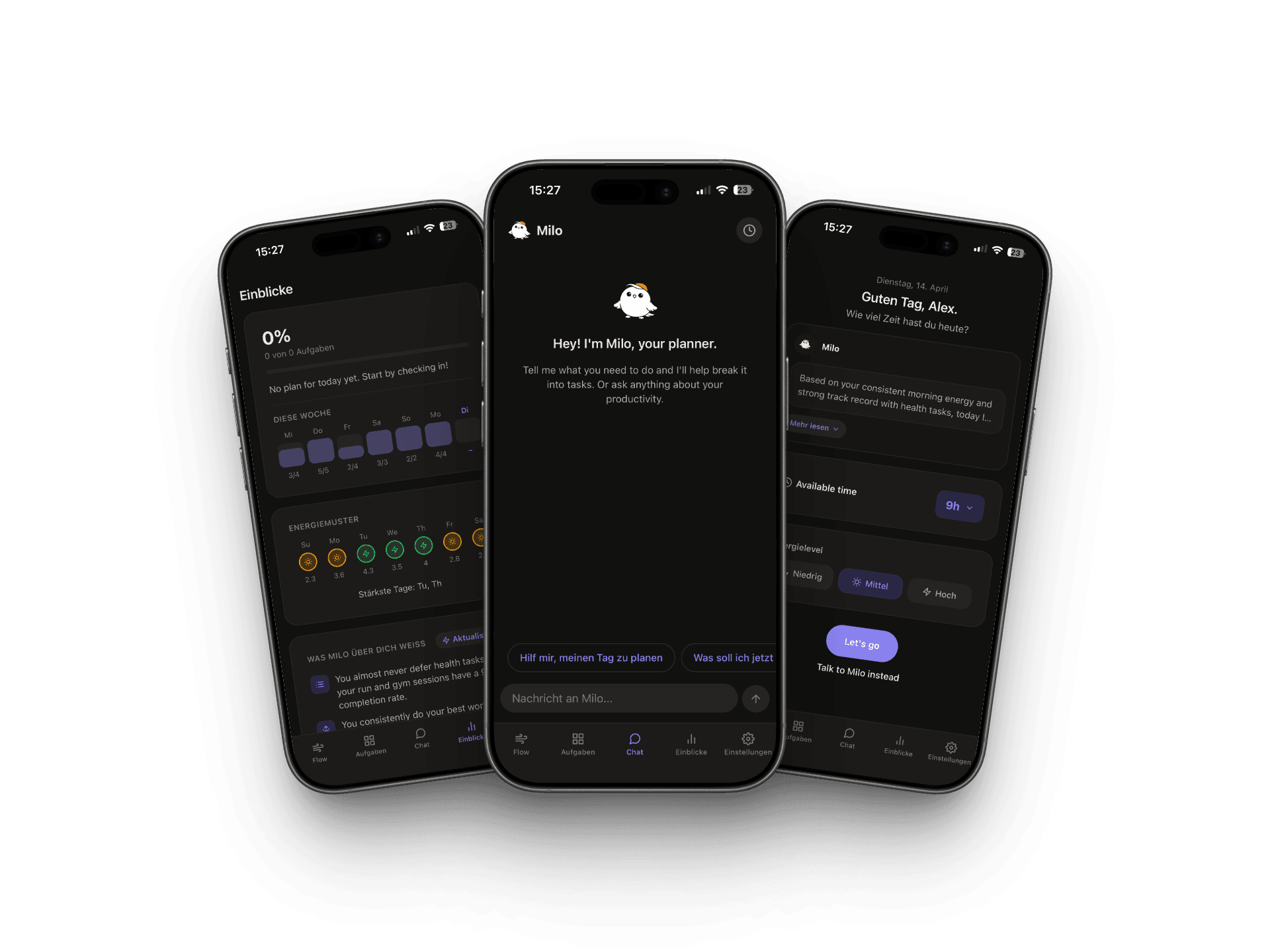
Milo builds your daily schedule around the time and energy you actually have — then learns how you work to get sharper every day.
Launching soon on iOS & Android
Features
Everything you need.
Nothing you don't.
01 — Daily flow
Check in once.
Get a real plan.
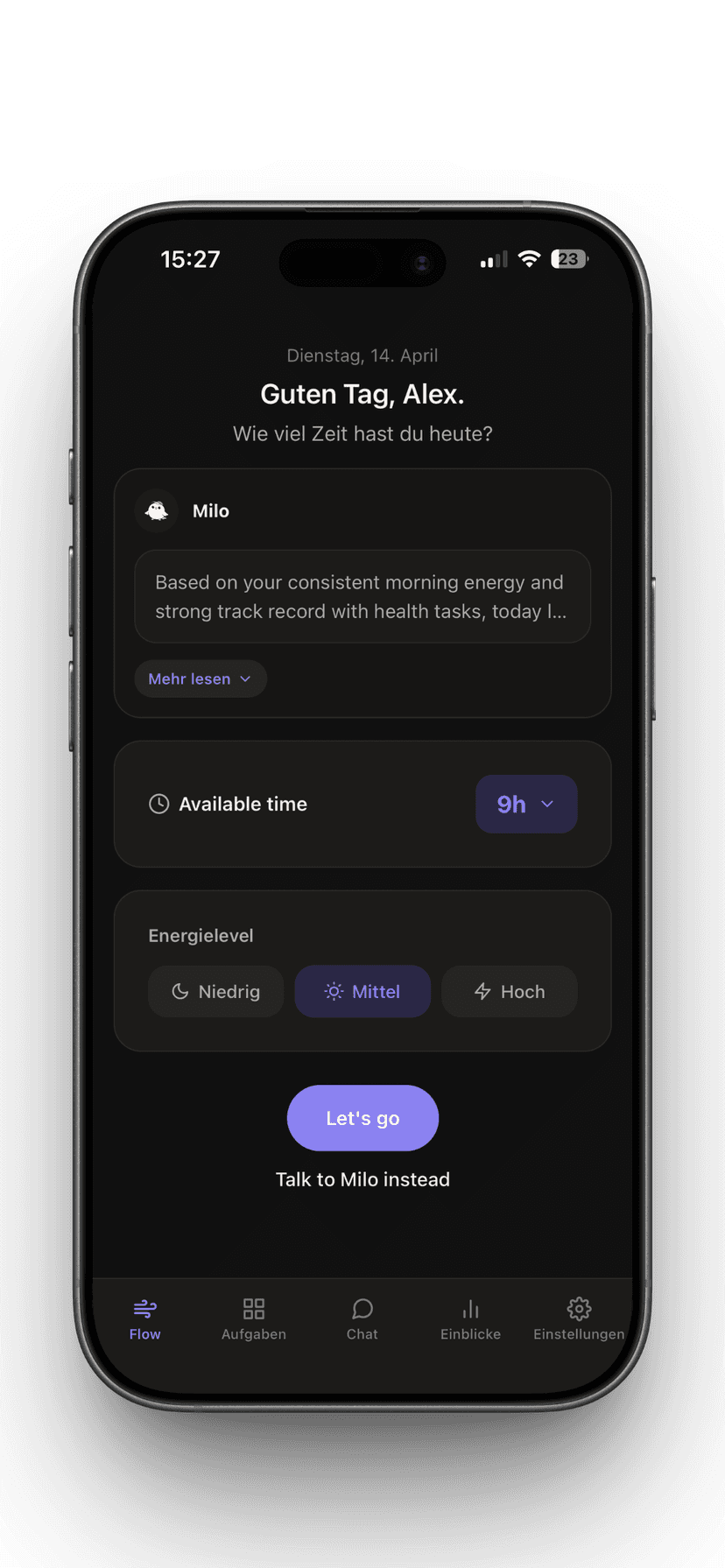
Tell Milo how much time and energy you have. It builds a plan around those constraints — not around an ideal day that doesn't exist.
- Sets available time with a single tap
- Picks tasks that fit your energy level
- Milo explains why each item is on the list
- One-tap rebuild when your day changes
02 — Focus mode
One task front
and center.
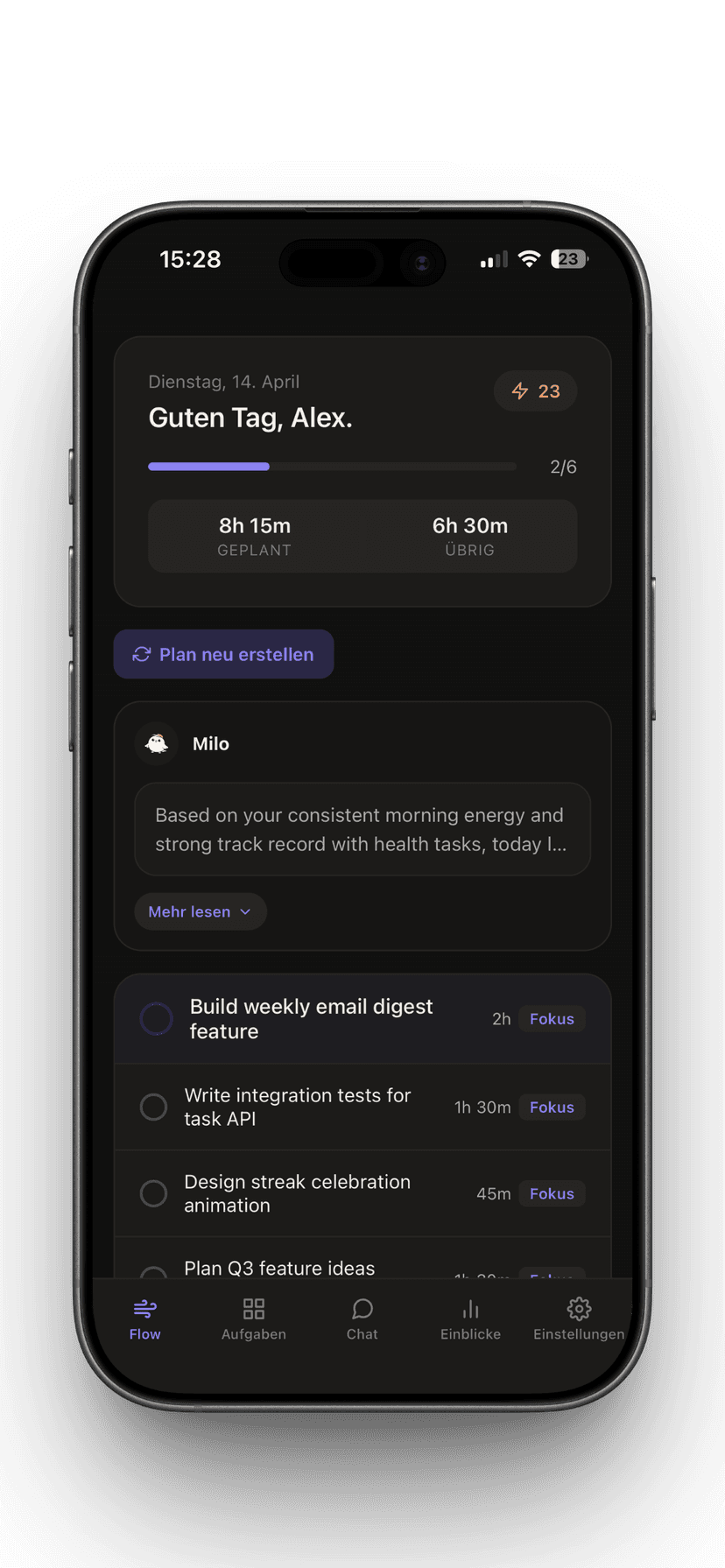
Your daily plan is always visible. Work through tasks one by one. Track streaks. See how much time is left. No noise — just the work.
- Clear progress bar and task count
- Streak tracking across days
- Time planned vs. time remaining at a glance
- Focus tags to separate deep work from quick tasks
03 — Milo chat
Talk when plans
fall apart.
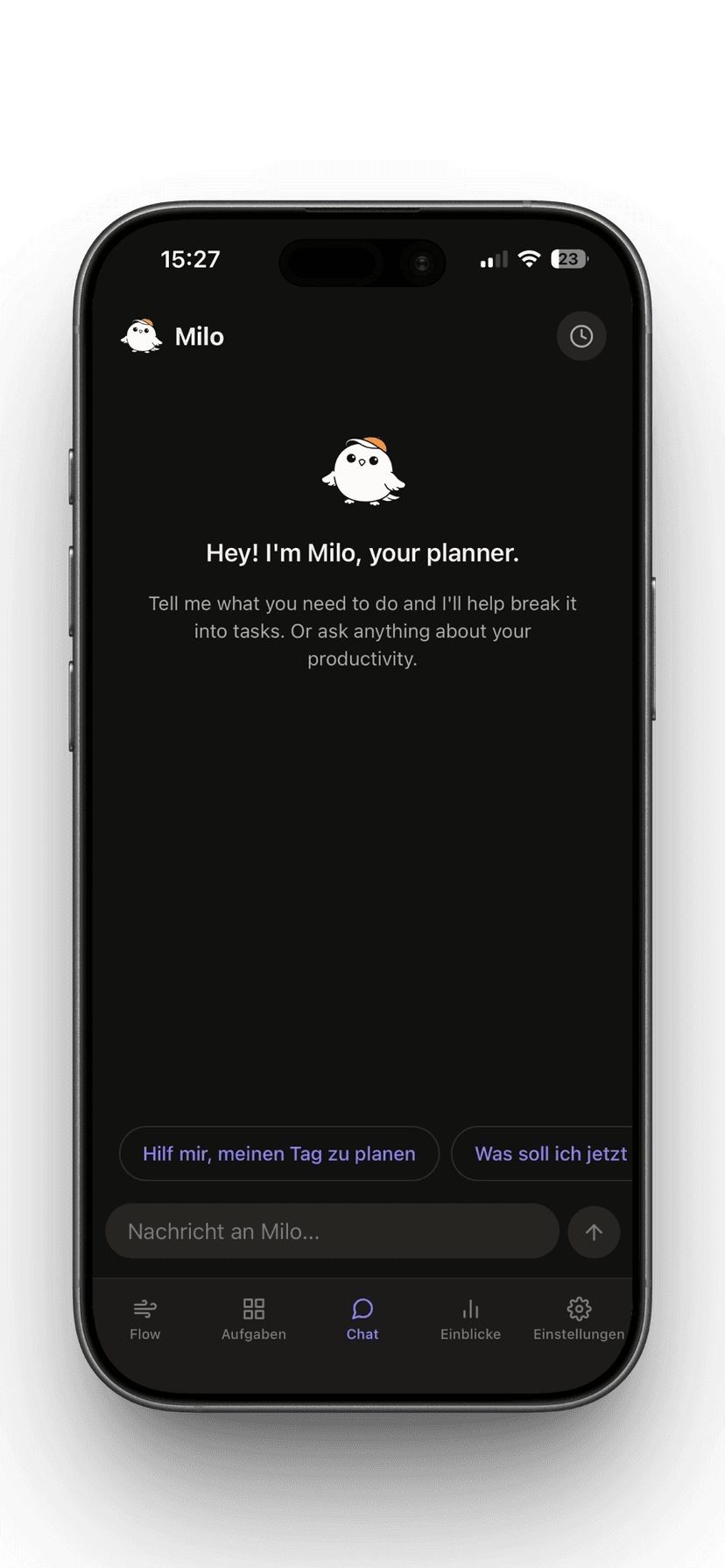
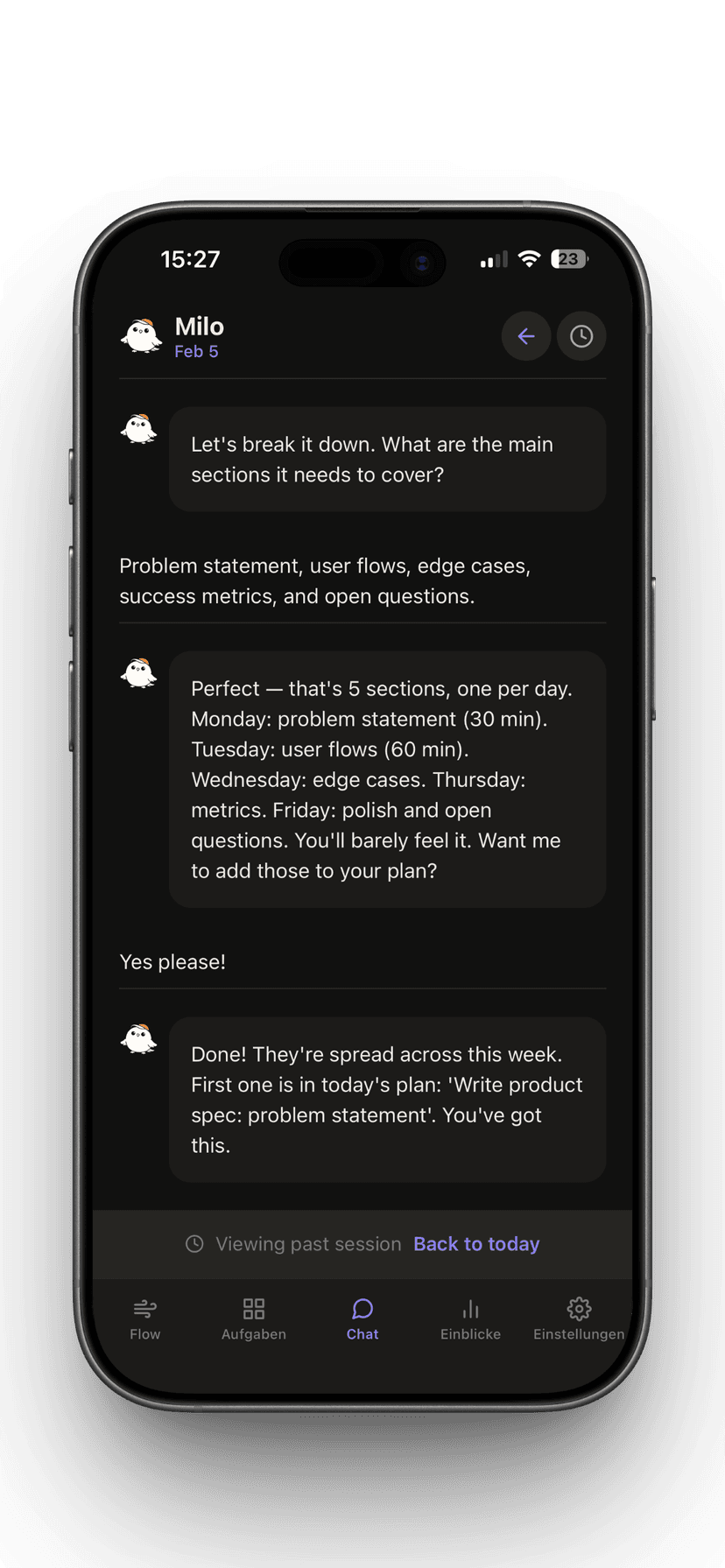
Message Milo to break down a big project, cut your scope, or just think out loud. It turns conversations into tasks and adjusts your day on the spot.
- Break any project into scheduled tasks
- Cut scope without rebuilding from scratch
- Full chat history to revisit past sessions
- Quick-action prompts to start faster
04 — Insights
Milo learns
how you work.
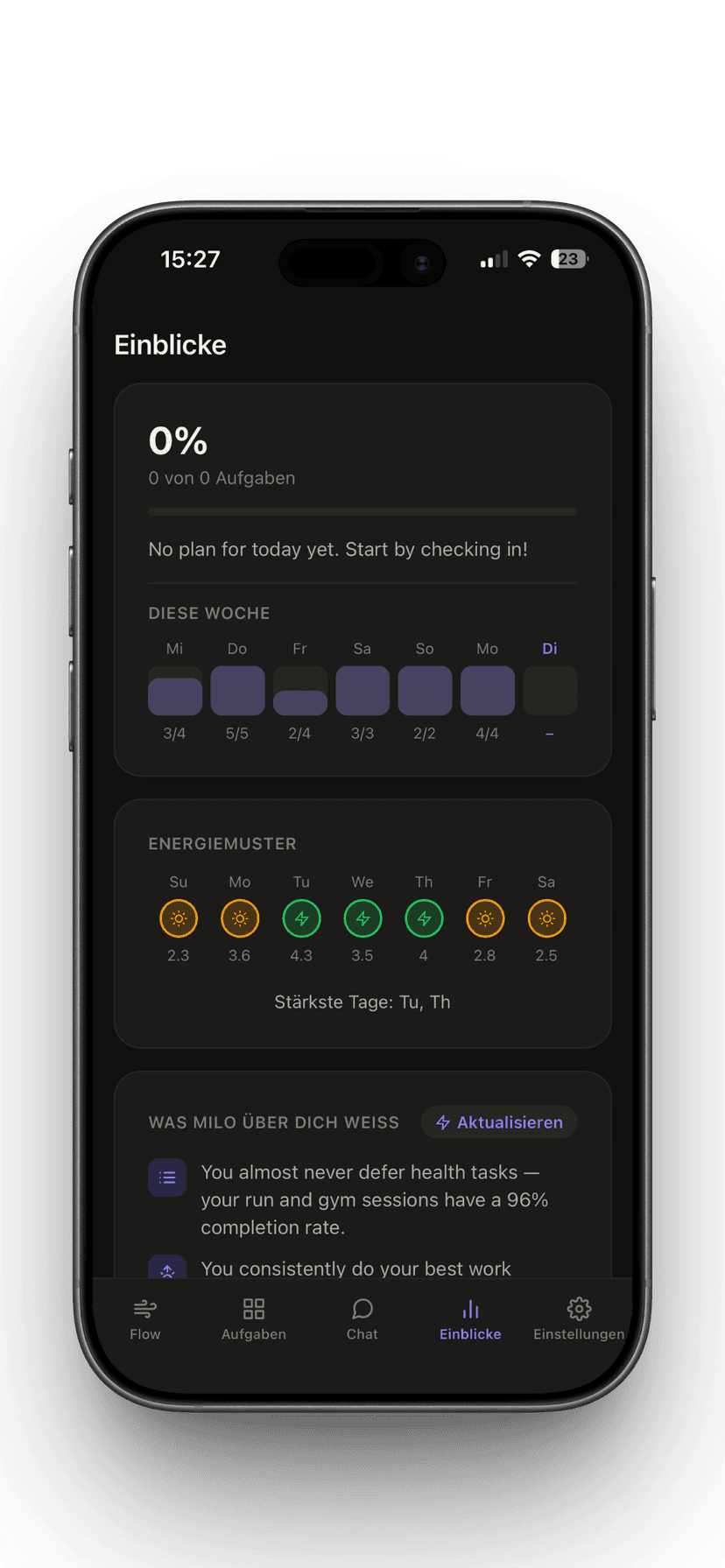
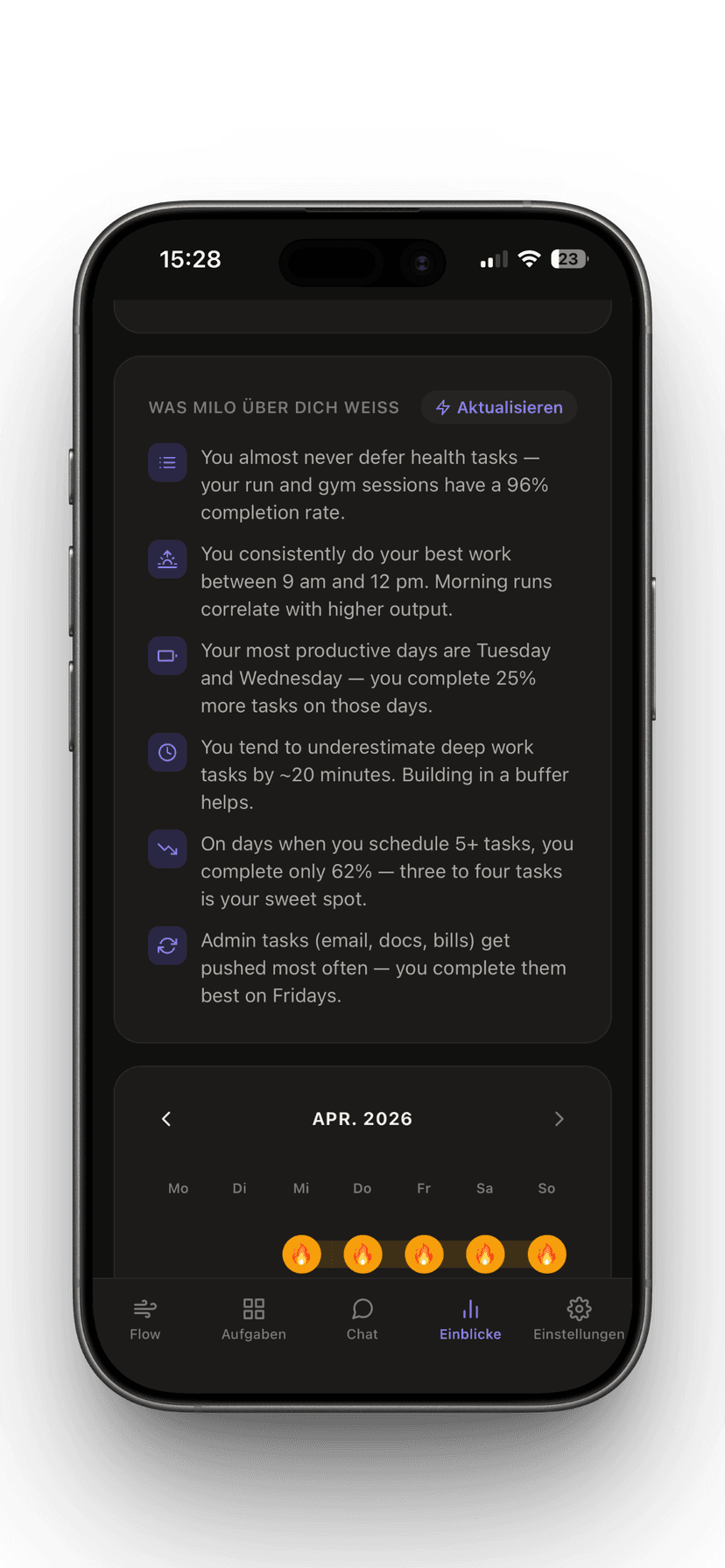
After a few weeks, Milo knows your patterns — your best hours, your tendency to overplan, what types of tasks you always defer.
- Detects your peak-energy windows automatically
- Learns which task types you actually complete
- Flags overplanning before it costs you the day
- 30-day streak calendar to see your momentum
05 — Task backlog
One place for
everything to do.
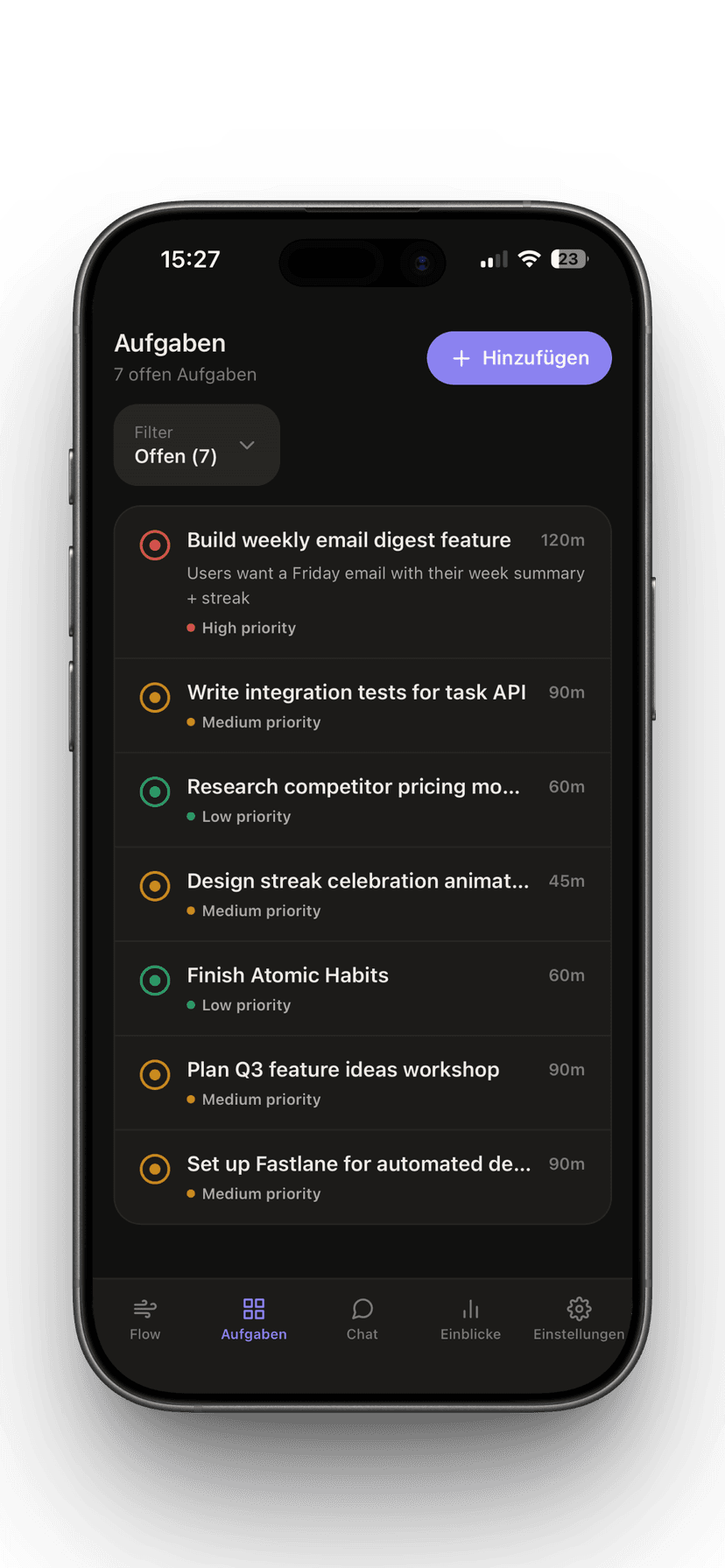
Add tasks whenever they come to mind. Milo pulls them into your daily plan when you have the time and energy for them.
- Priority levels with color-coded indicators
- Time estimates help Milo fill your day accurately
- Filter by status — open, scheduled, done
- Tasks auto-surface when capacity opens up
How it works
Three moves.
Usable day.
Milo is fast on purpose. The whole check-in takes under 30 seconds.
Check in
Open the app, set how much time and energy you have. Milo handles the rest and builds the plan instantly.
Work the flow
Your tasks are ordered, time-boxed, and tagged for focus or quick wins. Work down the list without decisions eating your day.
Adjust with Milo
When something comes up or your energy drops, chat with Milo to cut scope, reprioritize, or break a big task into steps.
Why Milo
Built for how real
days actually go.
Not just a to-do list
Most apps just list tasks. Milo fits them to your actual capacity — the time and energy you have right now.
Not another calendar
Calendars show you what's scheduled. Milo tells you what you can realistically get done between the meetings.
Not a rigid system
GTD and time-blocking work until life doesn't. Milo adapts on the fly instead of breaking when you miss a day.
Gets smarter over time
The more you use it, the better it knows you — your peak hours, your blind spots, what actually gets done.
Honest about capacity
Milo won't let you overplan. It knows your history and flags when you're setting yourself up to fail.
Fast enough to use every day
A check-in under 30 seconds. A plan in 3 seconds. Low friction is the whole point.

Coming soon
to iOS & Android.
Milo is in development. Leave your email and we'll notify you the moment it launches. feedback@miloapp.com